 Pttrns

You might need to change the page size in Canva if you’re trying to customize or make optimizations to existing designs. While there is a direct approach to do it, as it is a Canva Pro feature, we have suggested a way around to get you all covered.
What we cover
Change Page Size using Magic Switch
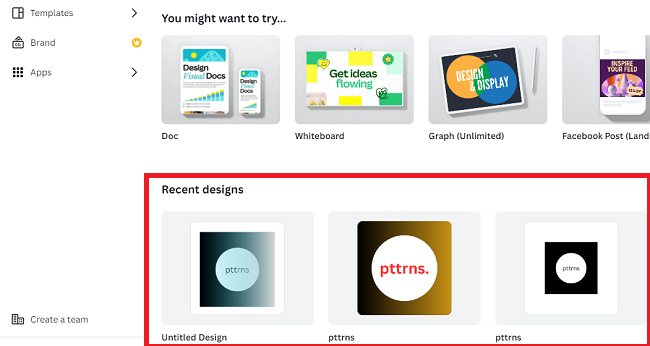
- Start by navigating to Canva and sign in with your credentials. Once you’re on the home screen, navigate to Recent designs and open the design you’re working on.
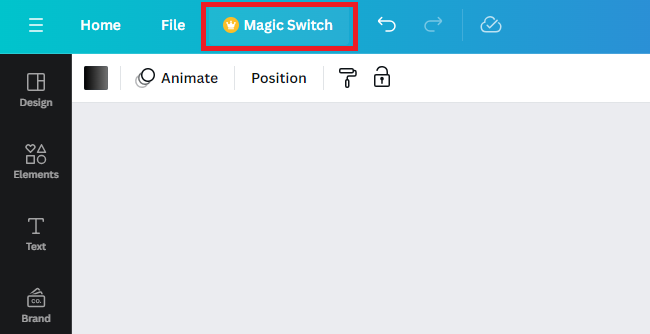
- Once the design is completely loaded, navigate to Magic Switch on the top and click on it.
- Doing so, you’re displayed with options, from which you click on Resize to get started with paper size.

- After you click on it, you’re displayed with a search box. Now type the name of the design you want to resize or click on See all text to check the available resize options.
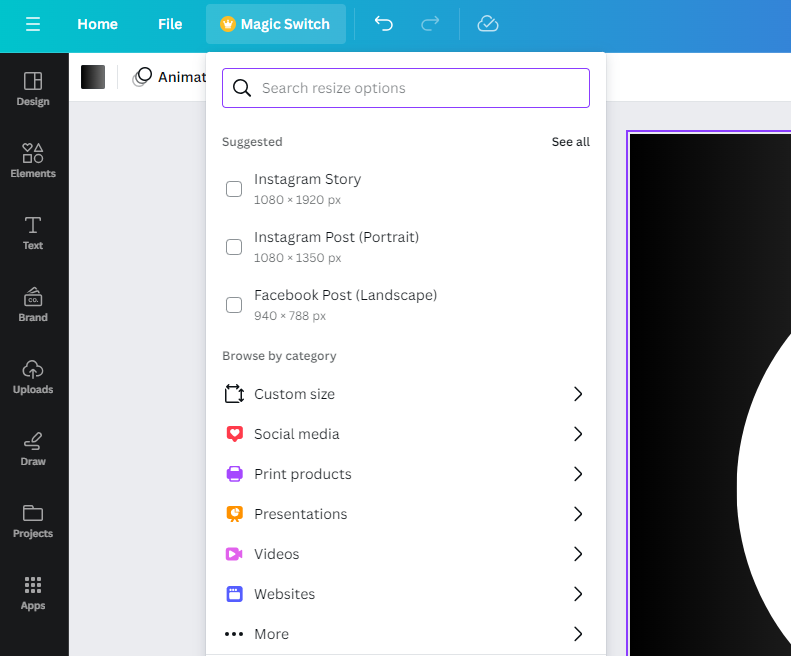
- Once you find the resize option, click on the Resize button below all options to resize the design.
Alternate Approach to Resizing a Page
If you don’t have access to Canva Pro or Teams, consider checking out the steps below, as they act as a way to resize a page.
For demonstration, we are changing the page size from A4 to A3, but worry not, as the steps apply the same for reference for all designs.
- Begin by going to Canva home and click on Create a new design button present at the top right corner and search for the design you want to resize to.
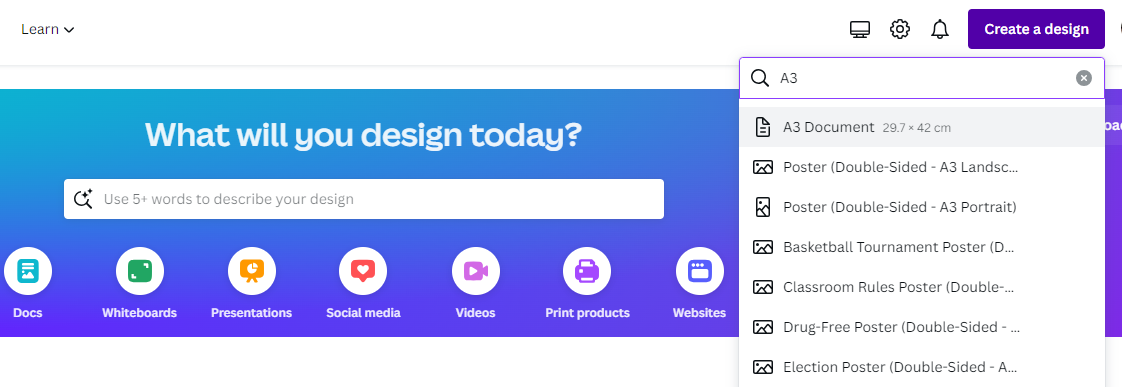
- After you have created a new design, click on the Projects on the left. Next, choose the project you want to resize.
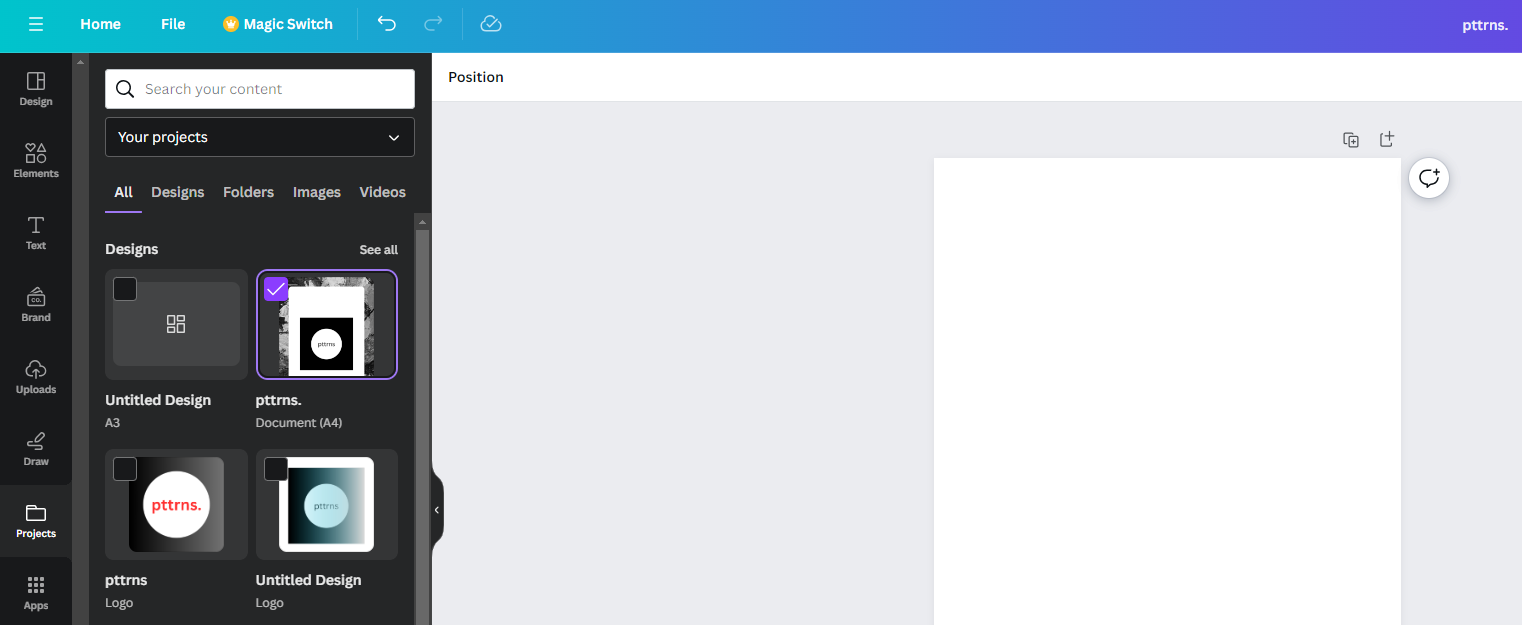
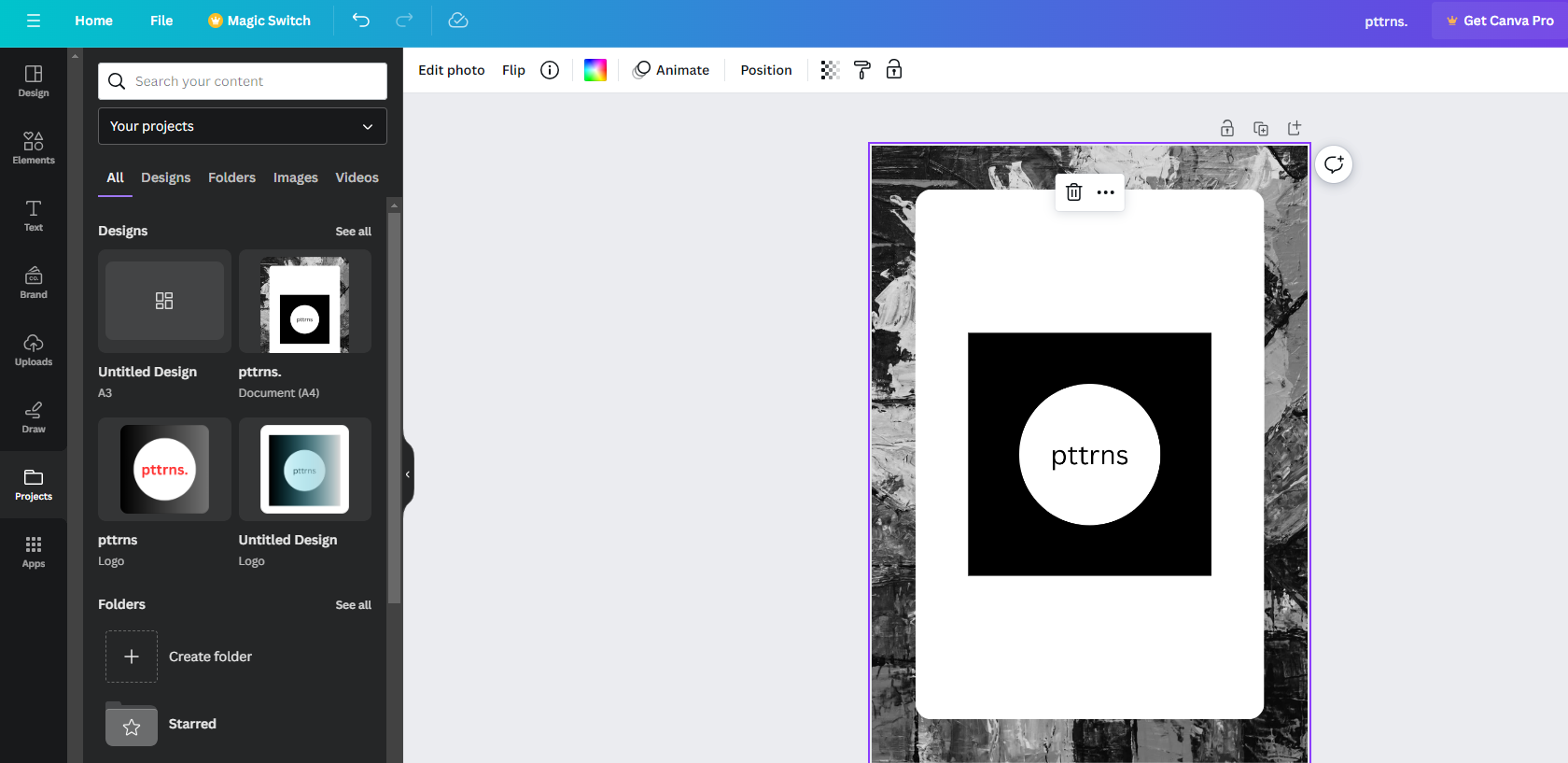
- In the above picture, we have selected a design, which is an A4 document. After dragging and dropping the design to the newly created A3 design, it automatically adjusts, resulting in a resized design from A4 to A3.
Wrapping Up
Congratulations on learning how to change paper size in Canva!
While both approaches work fine, we suggest you adjust the elements according to the new design. It is important to do this as the auto design adaption doesn’t work all the time and might create undesirable results.
Related Reading
How To Adjust Design Orientation in Canva