 Pttrns
Canva comes with a wide variety of tools to edit the image, and fortunately, there is a tool dedicated to round corners. In this guide, we will provide you with easy steps that will walk you through the process of uploading an image and rounding its corners.
What we cover
Round Corners in Canva
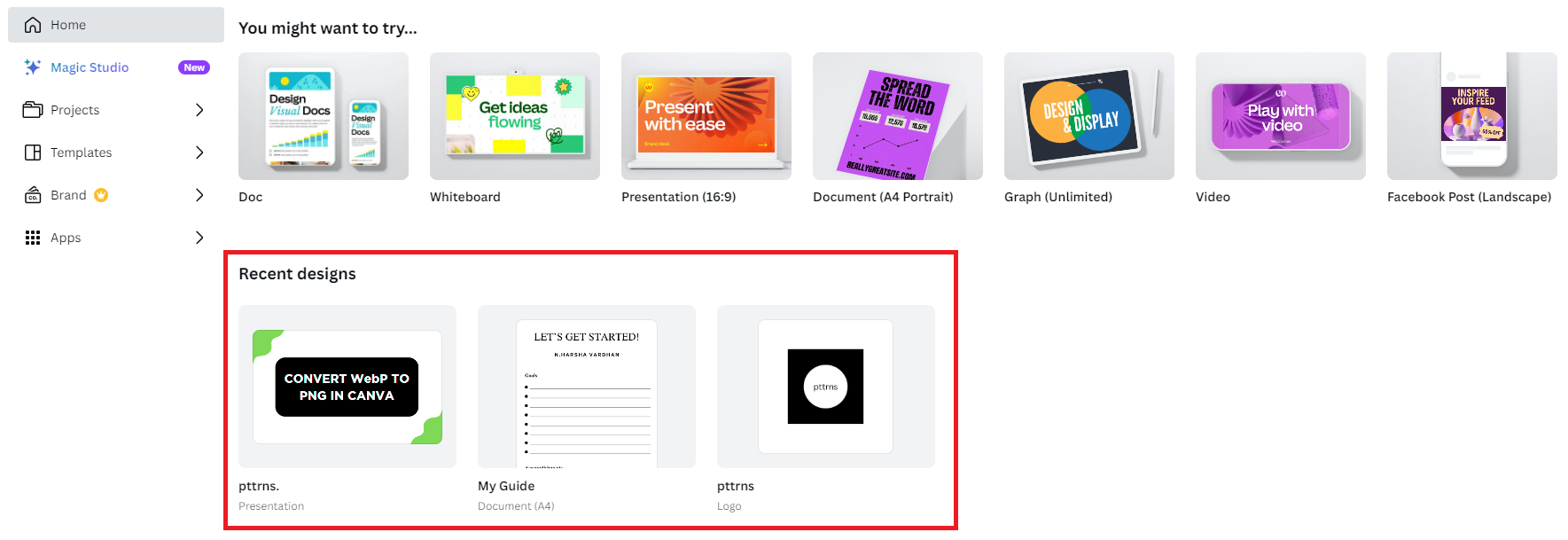
- Start by navigating to Canva and get started with a new design by clicking on the Create a design button and choosing the design. If you have already uploaded one, open it from the Recent designs section.
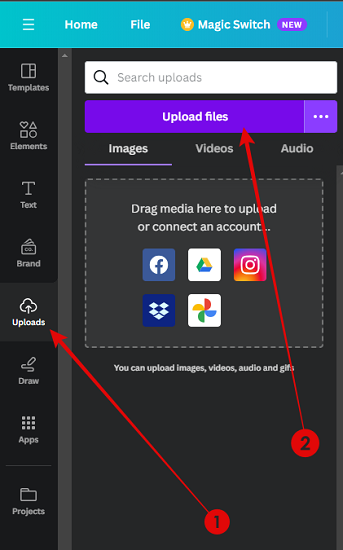
- Once the new or existing design is loaded, navigate to the Editor panel on the left and click on Uploads. By doing so, you’re displayed with images uploaded to Canva.
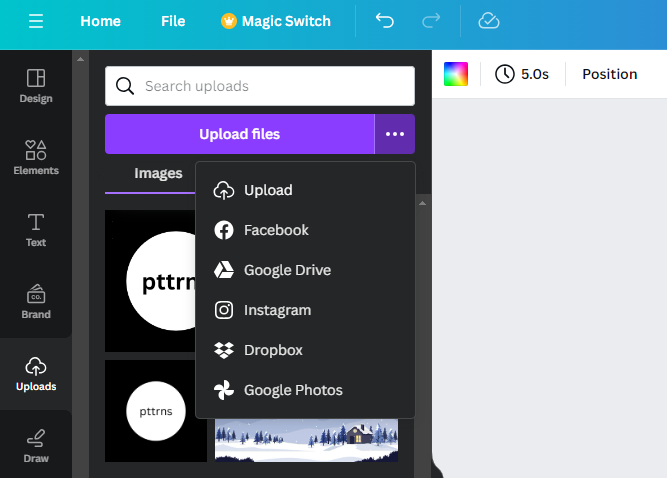
- However, if you haven’t uploaded yet, navigate to the Upload Files button present in the Images section and click on it to upload an image. If it isn’t on local storage, click on three horizontal dots next to it to select the source.
- With the image added to the design, click on it to open options on the top. Next, click on Border style, and by doing so, you’re displayed with a Corner rounding slider, and adjusting it will round the corners.

Round Individual Corners in Figma
While Canva lets you round corners with ease, if you’re trying to round an individual corner, you are left disappointed. For this, we used online tools, and none were able to round individual corners of an image until we came across Figma.
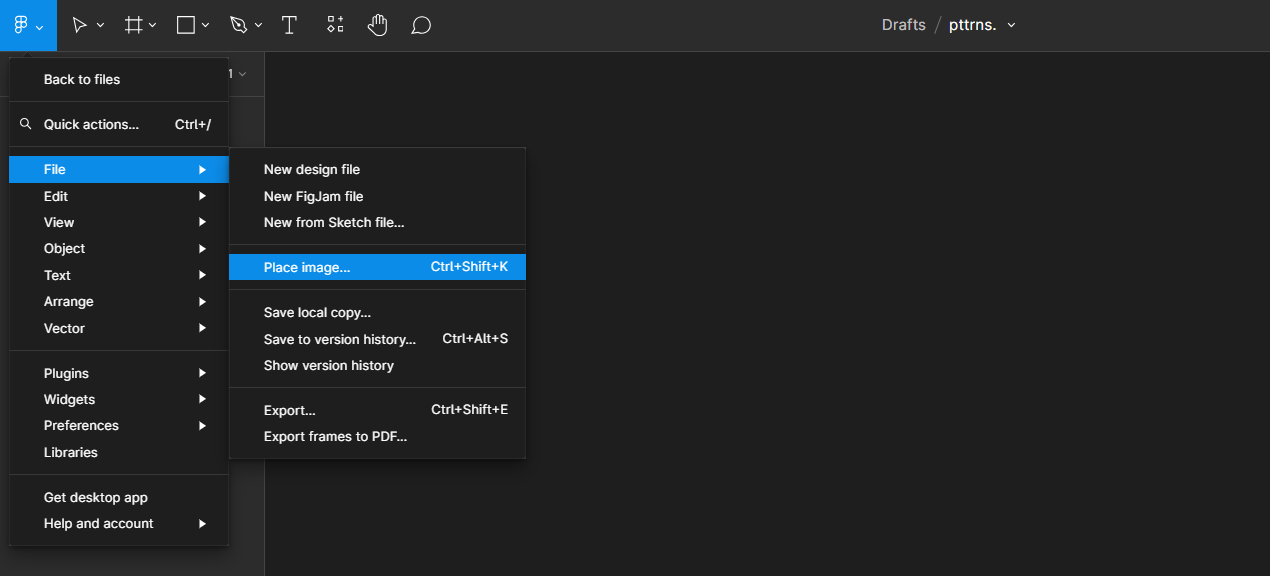
- Start by navigating to Figma and get started with a new design. Once the design is loaded, navigate to the top left corner and click on the Figma icon to open options. Now, from the available options, click on File and then Place image.
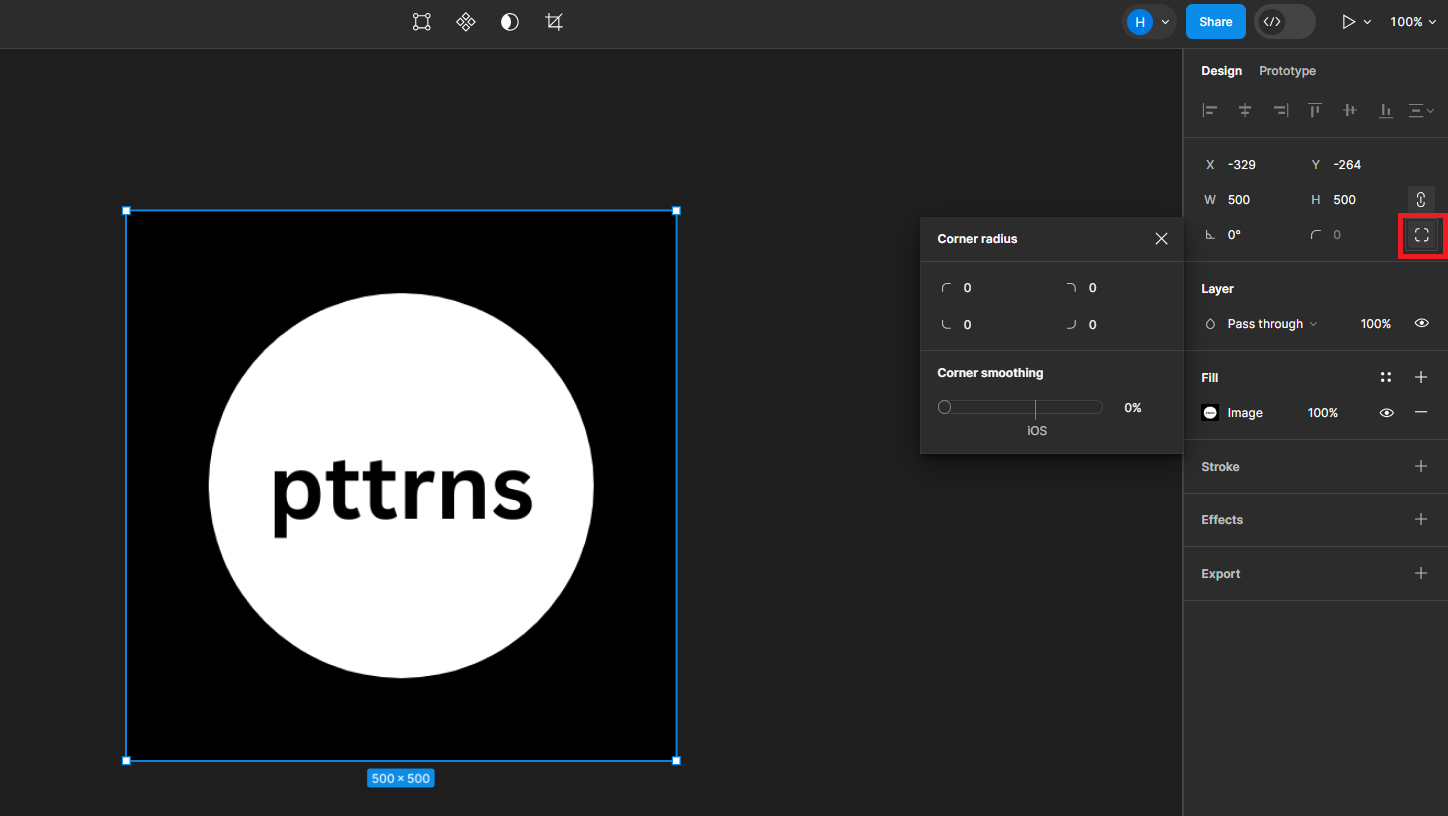
- Once the image is uploaded, navigate to the Design panel on the right and click on the Individual corners tool [For better understanding, refer to the image below].
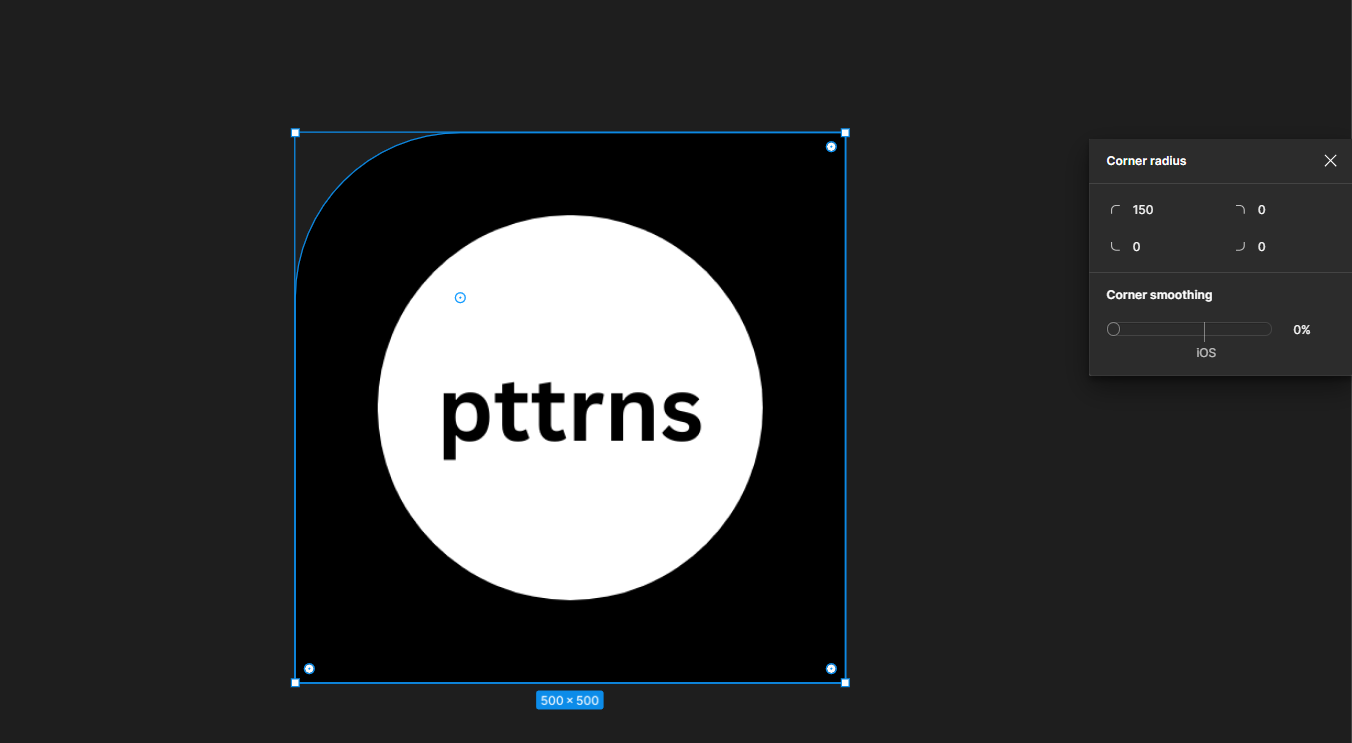
- Now, navigate to the Corner radius and select the corner you want to work with by clicking on it. Next, set the value in the input box and adjust it according to the changes displayed on the image.
Wrapping Up
Congratulations on rounding corners in Canva!
While Figma effectively lets you individually round corners, it can be complicated if you have no prior exposure. Hence, as an alternative, try using conventional photo editors, which offer complete flexibility, like Adobe Photoshop or GIMP.