 Pttrns

Are you trying to use Canva with WordPress? Learn how to do it through the detailed steps below.
Canva’s plugin is used by many for the ease of utilizing its full features directly. While it was available on WordPress, it was soon discontinued, resulting in multiple compatibility issues.
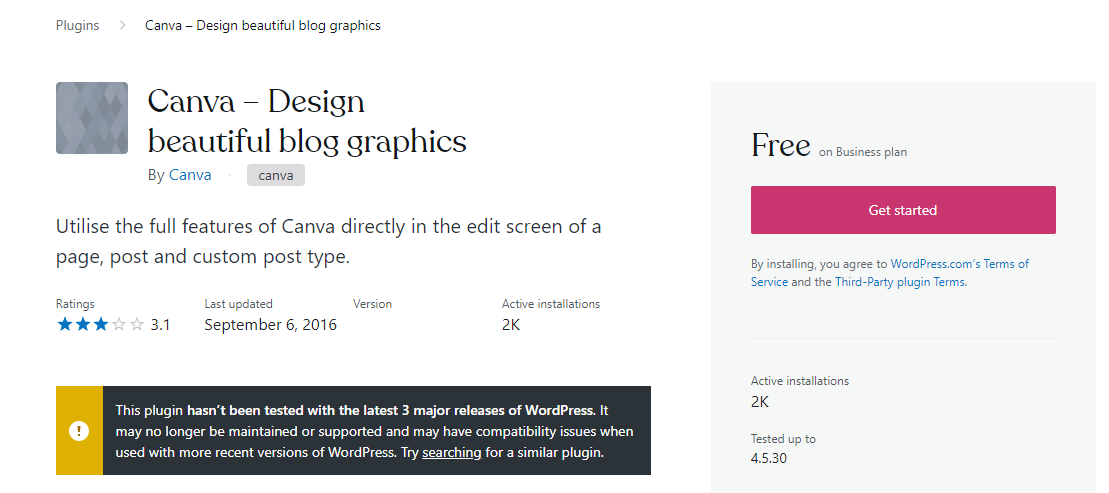
Nevertheless, users were still able to utilize Canva with WordPress because of the integration support, which provided a workaround for the discontinued plugin. If you’re looking to use Canva with WordPress as well, follow the steps below to learn how to integrate it.
Integrate Canva with WordPress
- Start by opening Canva and create a new design. For demonstration, we have selected Presentation.

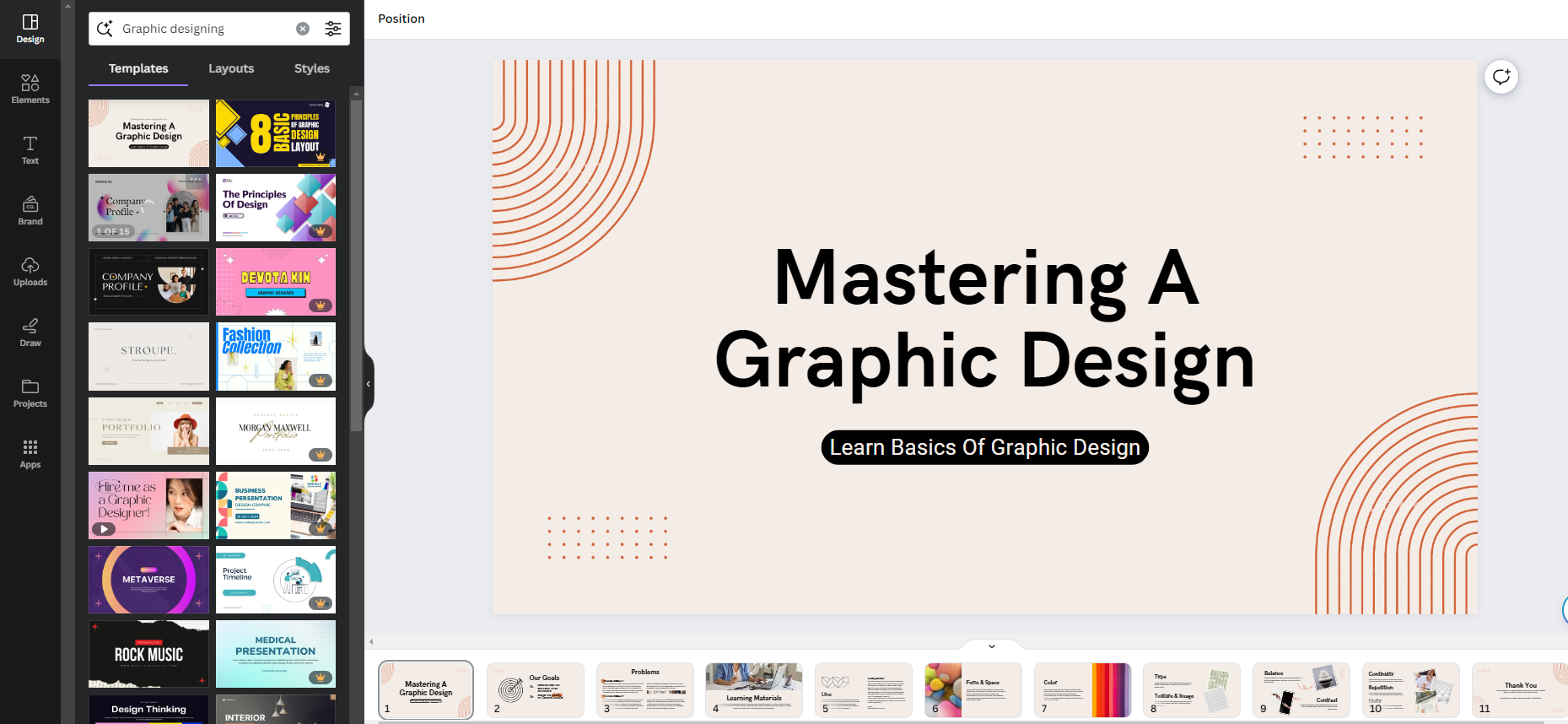
- After you’re displayed with the empty design, start creating the design you want to add to WordPress. For ease, you can use preset templates by searching for the topic in the Search Box in Design, which is present on the left.
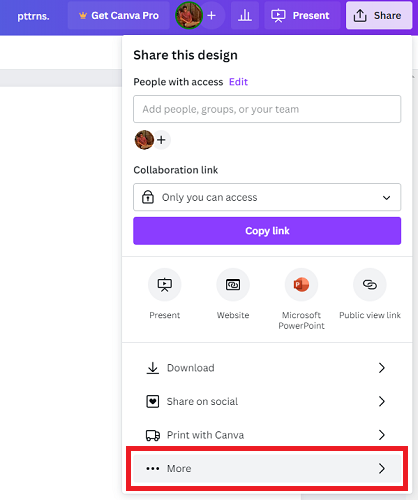
- Once finished with the design, navigate to the top right corner and click on Share. Next, from the options displayed, click on More.
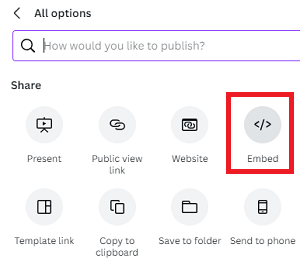
- Doing so, you’re displayed in the All Options box. Now, click on the Embed option to get started with the integration.
- Next, click on the Embed button to create the links. Once they’re created, you’re displayed with two links – Smart embed link and HTML embedded code.
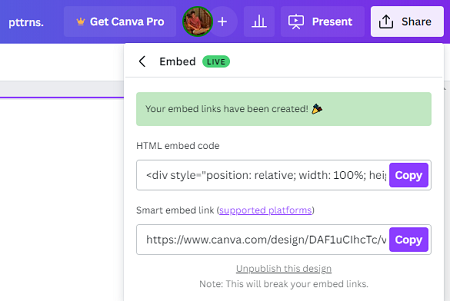
- We suggest you start with the Smart embed link, as WordPress now supports it. To do it, open the WordPress editor, type the below, and hit enter.
/Embed
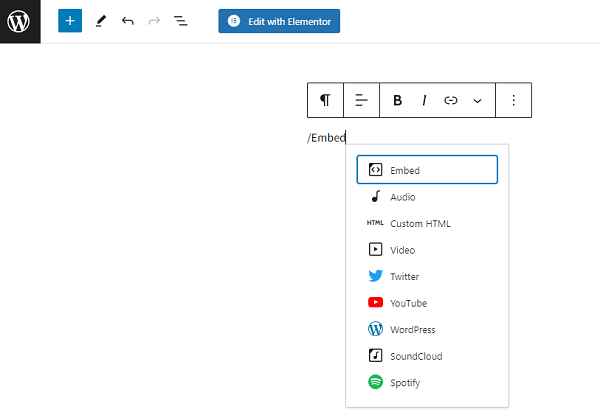
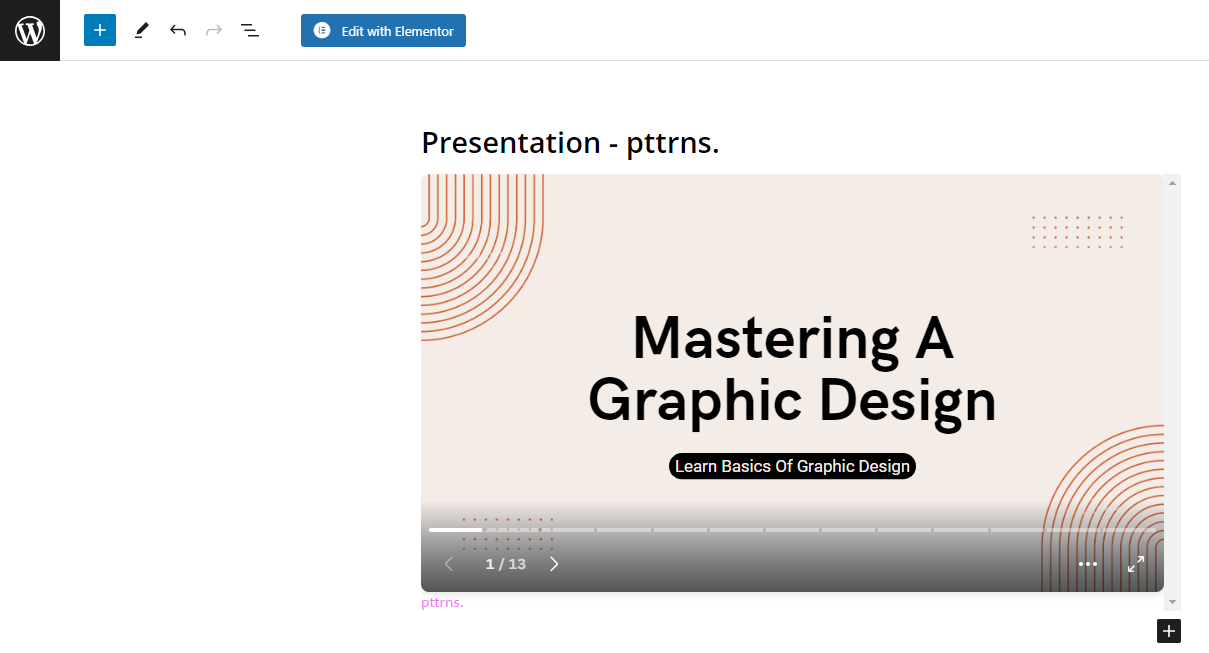
- Now, head back to Canva, copy the smart embed link, paste it into the input box provided, and click on the Embed button.
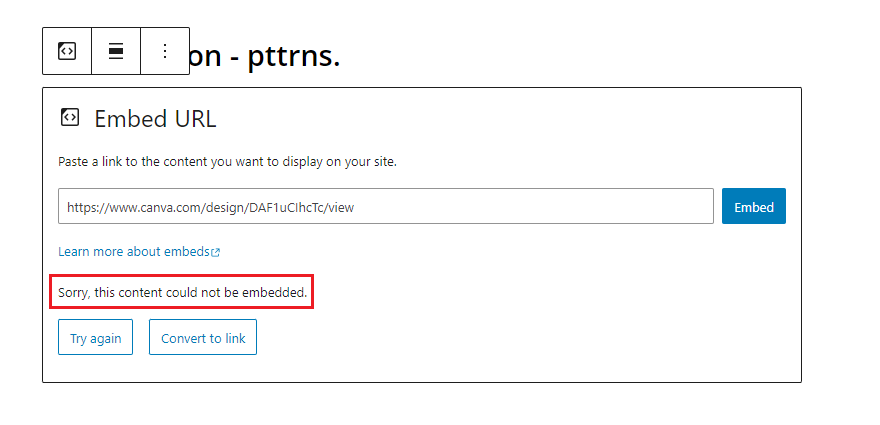
- If you couldn’t integrate the design using smart embed like above, use HTML embed code instead. To work with HTML code on WordPress, type the below and hit Enter.
/Custom HTML
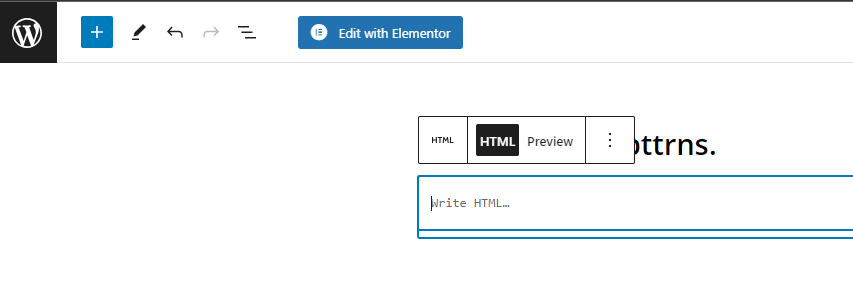
- Now, head back to Canva, copy the HTML embed link, and paste it into the input box provided.
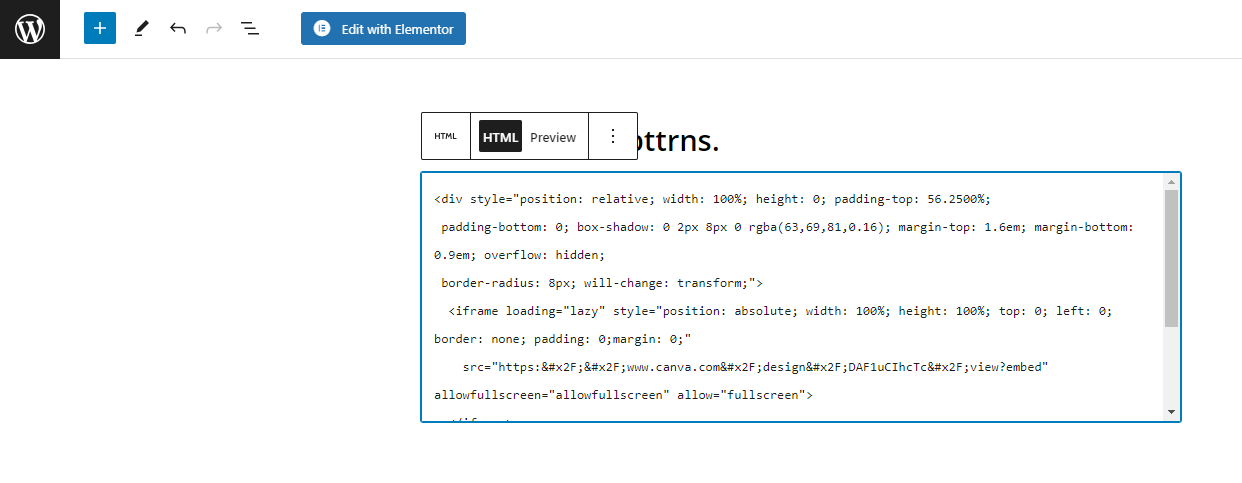
- We suggest leaving the HTML as is, but if you’re aware, make some modifications to make it integrate well with WordPress. Once done making changes, click on Preview, and you’re done.
Wrapping Up
Congratulations on successfully integrating Canva designs on WordPress!
The above steps are the only way to integrate design from Canva to WordPress, considering Canva plugin support is discontinued. If you aren’t happy with Canva, we suggest using other software or tools that offer better integration with WordPress.