 Pttrns
Canva offers you the flexibility to create custom sizes in multiple ways. Hence, learning how to create custom sizes can come in handy as you can make designs to meet your project needs and fit various platform specifications without any hassle. Here’s how to achieve it in several ways:
What we cover
Create Custom Size – Existing Design
- Start by navigating to Canva, and once you’re on the home screen, open the project you’re working on by clicking on it from the Recent designs section.
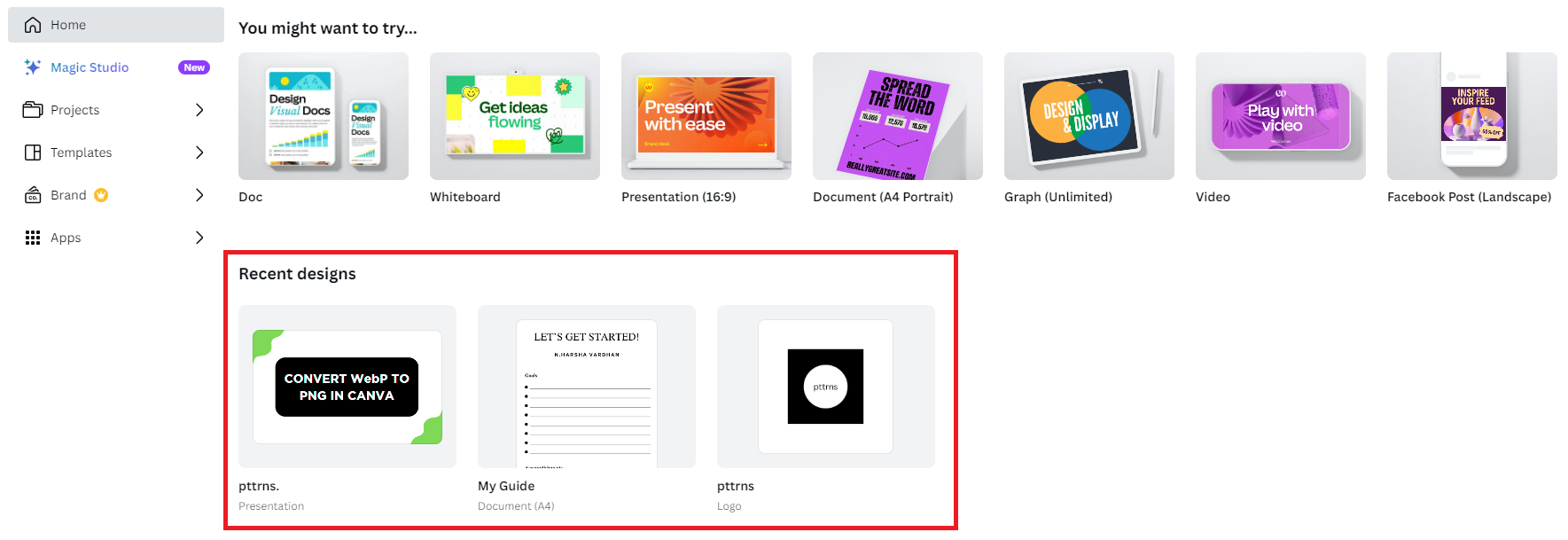
- Once the project is loaded, navigate to Magic Switch, located at the top left corner, and click on it. Doing so, you’re displayed with three options, from which click on Resize.
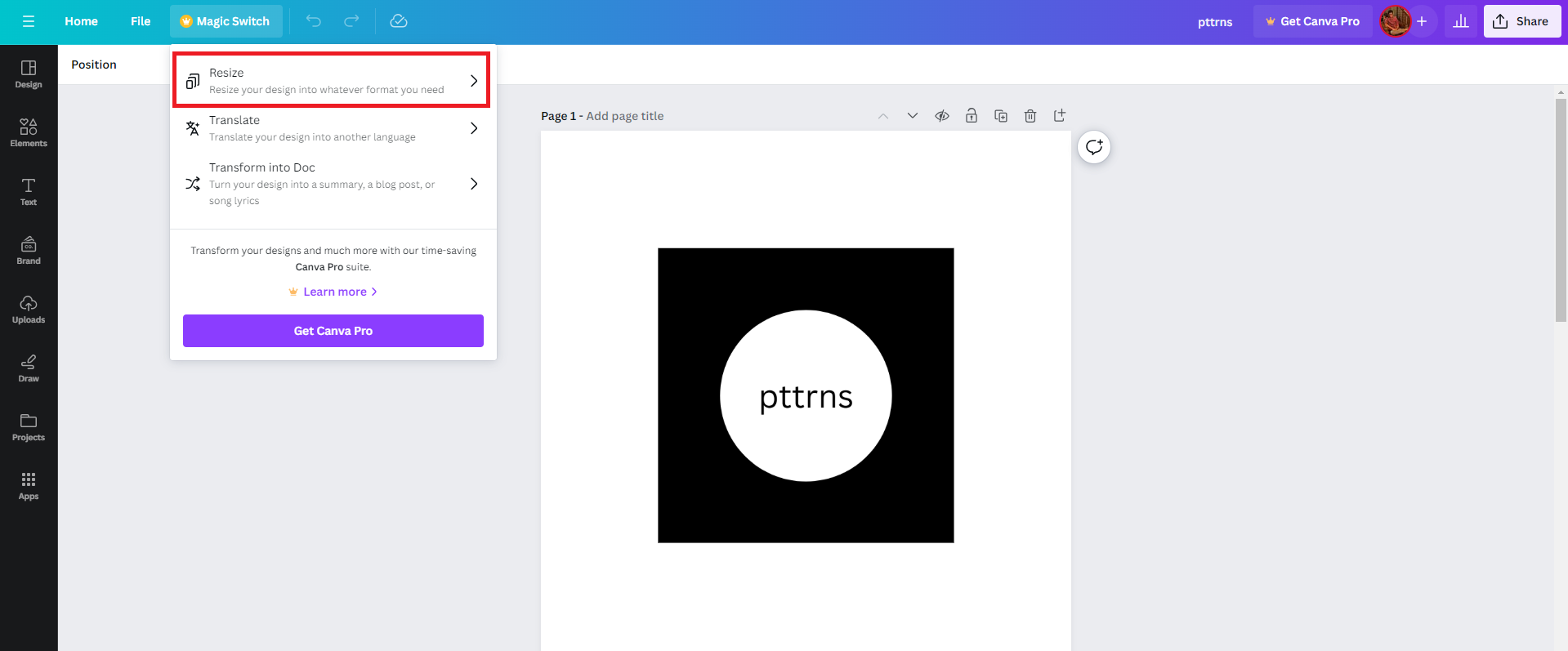
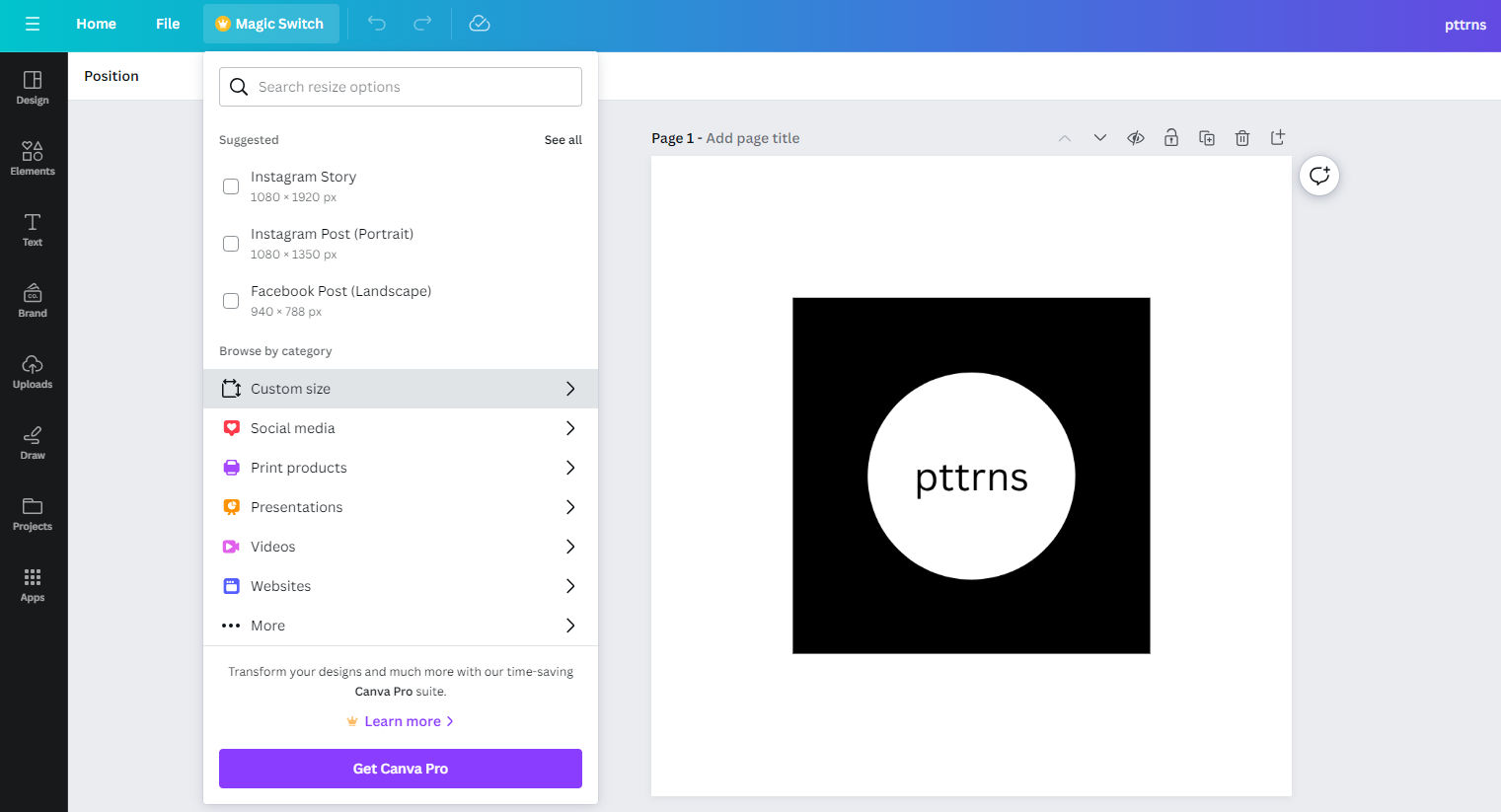
- Doing so, you’re displayed with multiple options, which can help you resize your design. Now, navigate to the Browse by category section and click on Custom size.
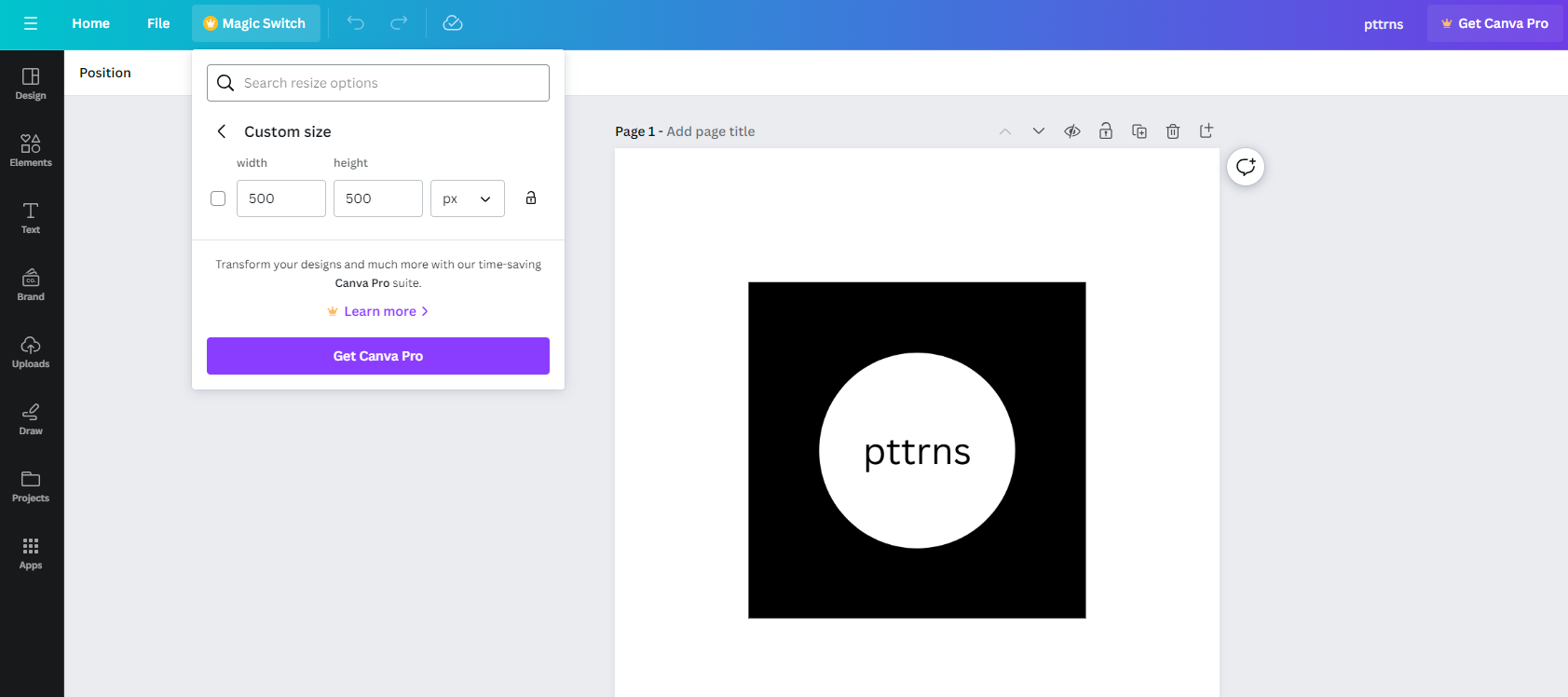
- With the Custom size tab displayed, fill in the Width and Height input boxes. Once done, click on the Resize button to create a custom design size.
Create Custom Size – New Design
If you don’t have access to Canva Pro, there is no other approach to creating a custom size for an existing design.
While this approach doesn’t offer customization to an existing design if you’re sure about your requirements, you can create a custom size for a new design without Canva Pro, and here are the steps for it:
- Begin by navigating to Canva and sign in with your credentials. Next, click on the Custom Size button present on the Home screen.

- Doing so, you’re displayed the Width and Height input box. Now, fill in the boxes and adjust the metrics according to your design requirements.
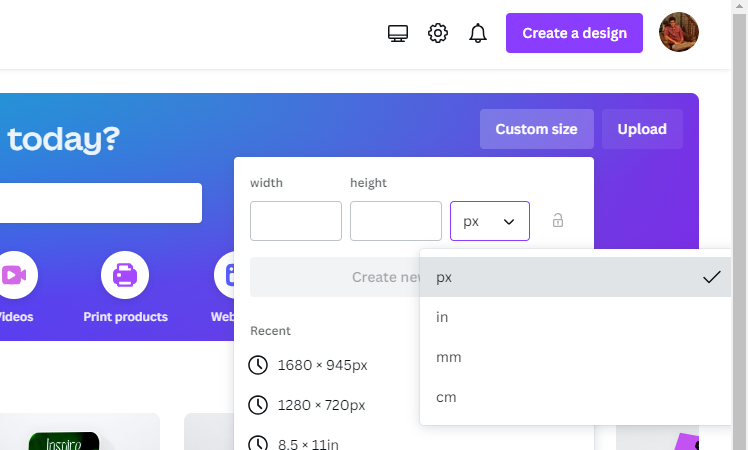
- Once you’re done setting values, cross-check them and proceed to click on the Create new design button, as changes can’t be made once the design is created.
Wrapping Up
Congratulations on creating a custom size on Canva!
If you don’t have access to Canva Pro and can’t create a custom design from the home screen due to the lack of requirements in mind, we suggest leaving some white space around the design and downloading it.
Once the download is done, process it using an online/conventional editor that fits the design and make changes.
Related Reading
How To Change Page Size in Canva
How To Adjust Design Orientation in Canva